
BotWorld quickstart
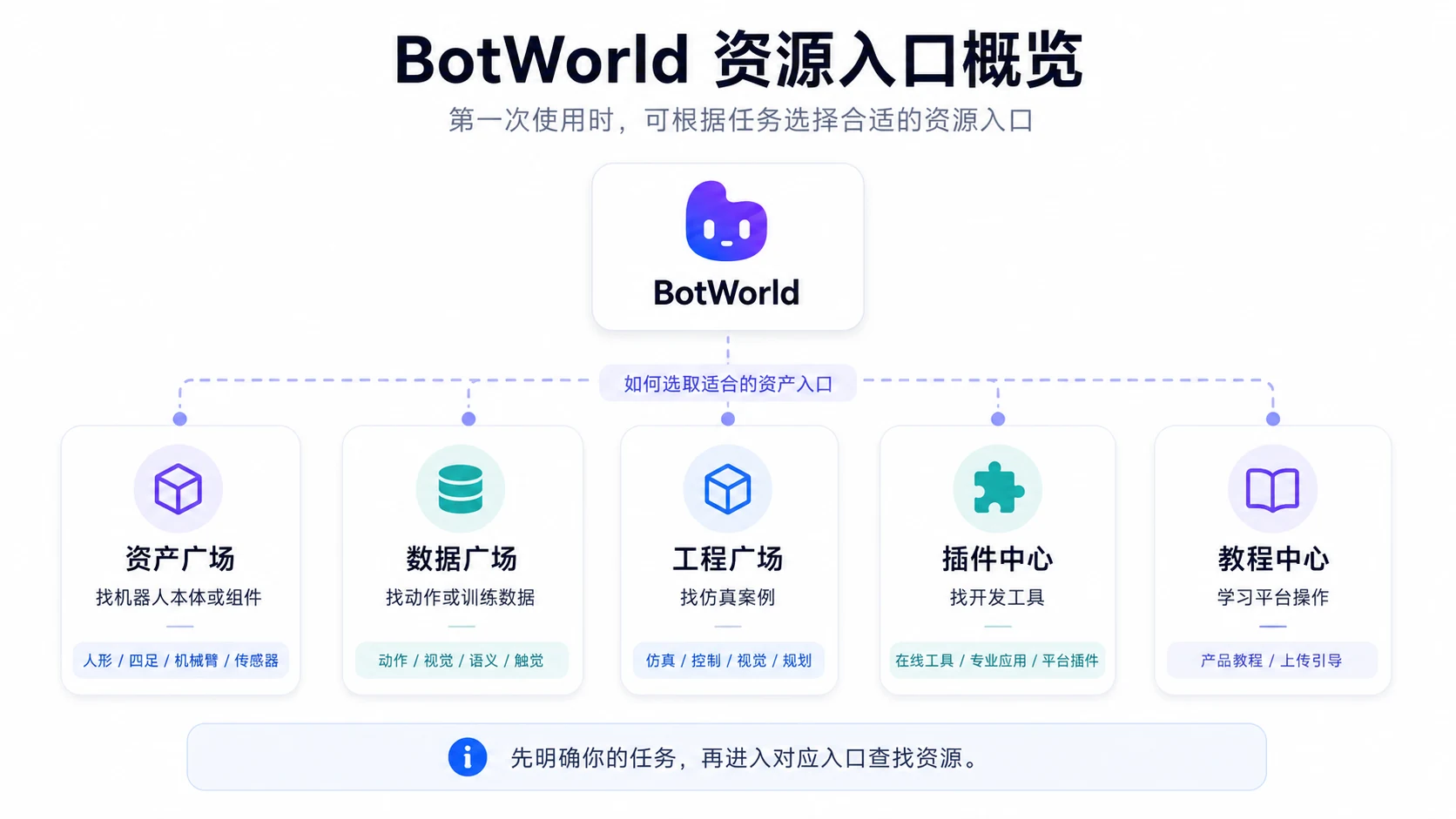
BotWorld organizes different types of robot resources into multiple galleries. On your first visit, choose the resource entry that matches your task, then use search or filters to find the target resource.
This section uses the Unitree G1 humanoid robot asset as the example and walks through the shortest path: “sign in -> find a robot model -> open the resource detail page.” For the full resource discovery, acquisition, interaction and publishing workflow, read the BotWorld product guide.
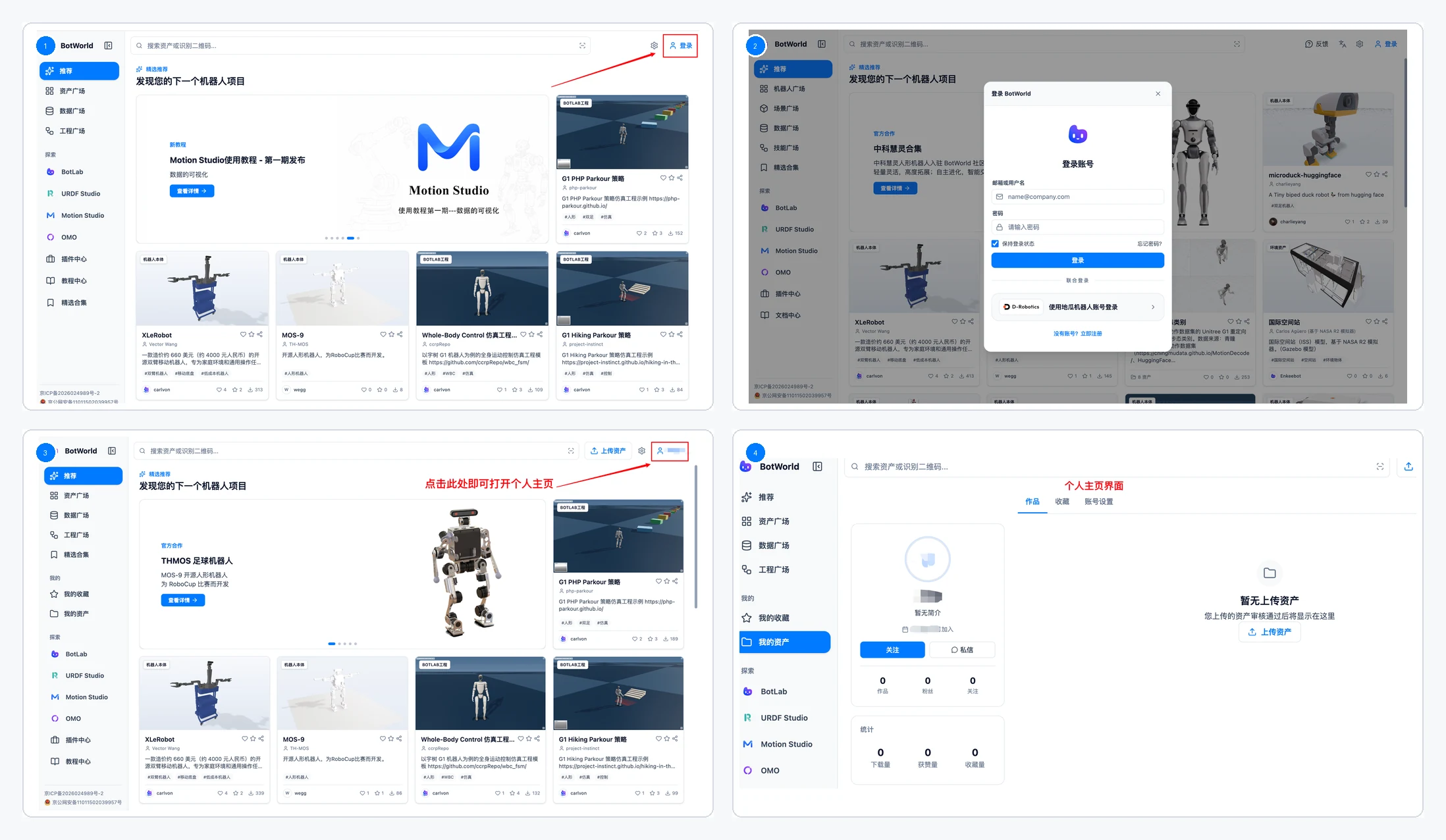
Sign In
Open BotWorld and click "Sign in" in the upper-right corner.
Sign in to your account. If you do not have an account yet, register by following the page prompts.
After signing in, you can use favorites, asset submission and personal asset management.
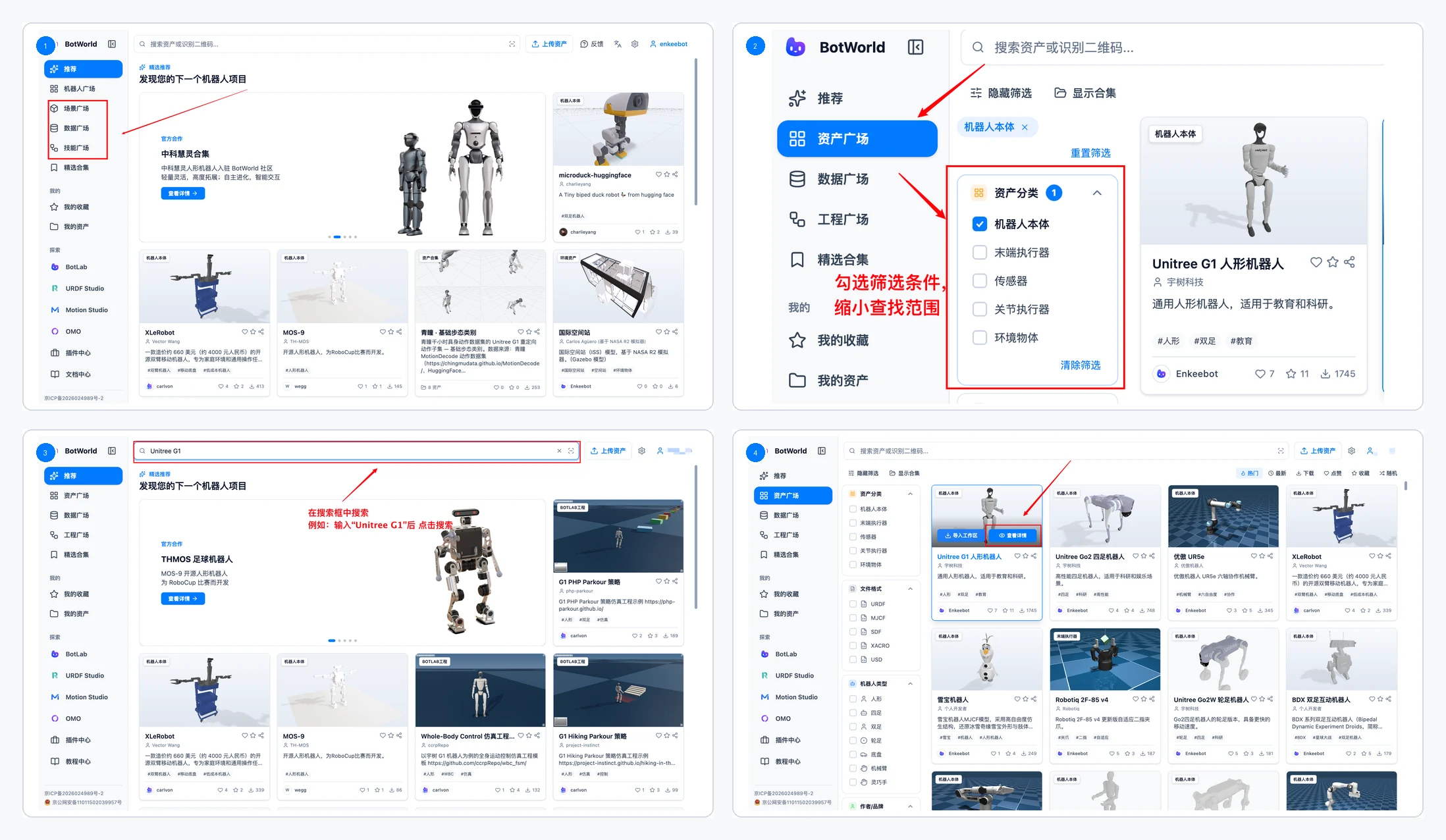
Find Resources in BotWorld
After entering BotWorld, you can browse by resource gallery or search directly by robot name, resource name or task keyword.
- Method 1: use the left sidebar to open Asset Gallery, Data Gallery or Project Gallery.
- Narrow the results with filters.
- Method 2: enter a robot name, resource name or task keyword in the search box, such as "Unitree G1".
- After finding the resource in the results, click "View details" on the resource card.
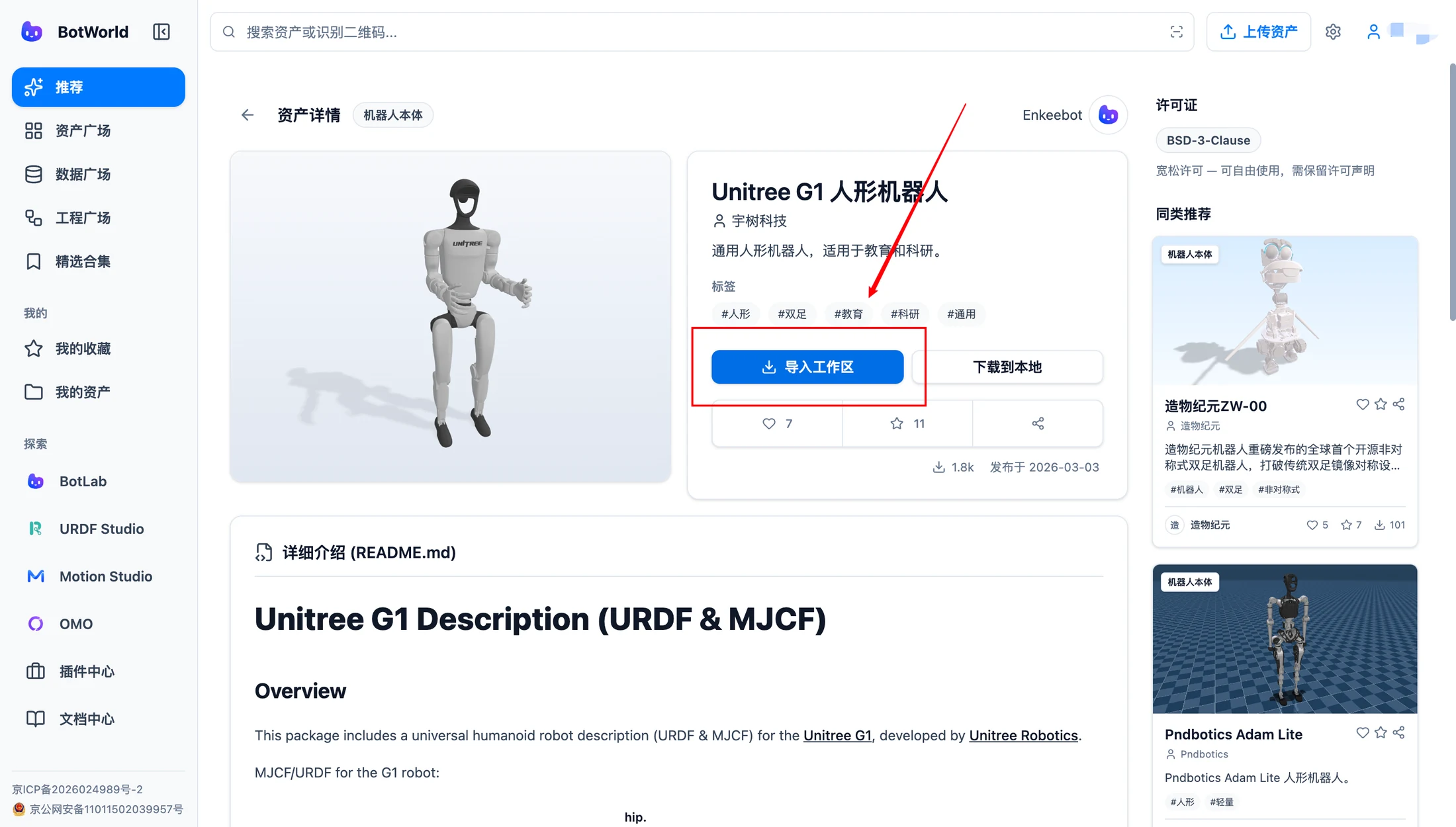
View Resource Details
On the resource detail page, focus on the resource name, introduction, robot model preview, file format, resource information, creator information, and download or import-to-workspace actions.
After confirming that the resource fits your need, download it locally or import it directly into URDF Studio or Motion Studio.
Done When
You have completed the BotWorld quickstart when you can:
- Sign in to BotWorld.
- Find Unitree G1 or another target resource in Asset Gallery.
- Use search or filters to locate a robot model.
- Open the robot model resource detail page and confirm the next download or import action.